
Installing the Modpack with BakaXL
This guide will show you how to install Arcomua Modpack using BakaXL.
Download the Launcher
Click here to go to the launcher download page.
You can find detailed information about the launcher in the BakaXL Documentation Center. This guide focuses only on installing the modpack.
This guide uses BakaXL 3.5.1.0.
Online Installation
When using BakaXL for the first time, follow the launcher wizard to complete the launcher setup.
After reaching the launcher home page, click “Switch Minecraft Game Core”.
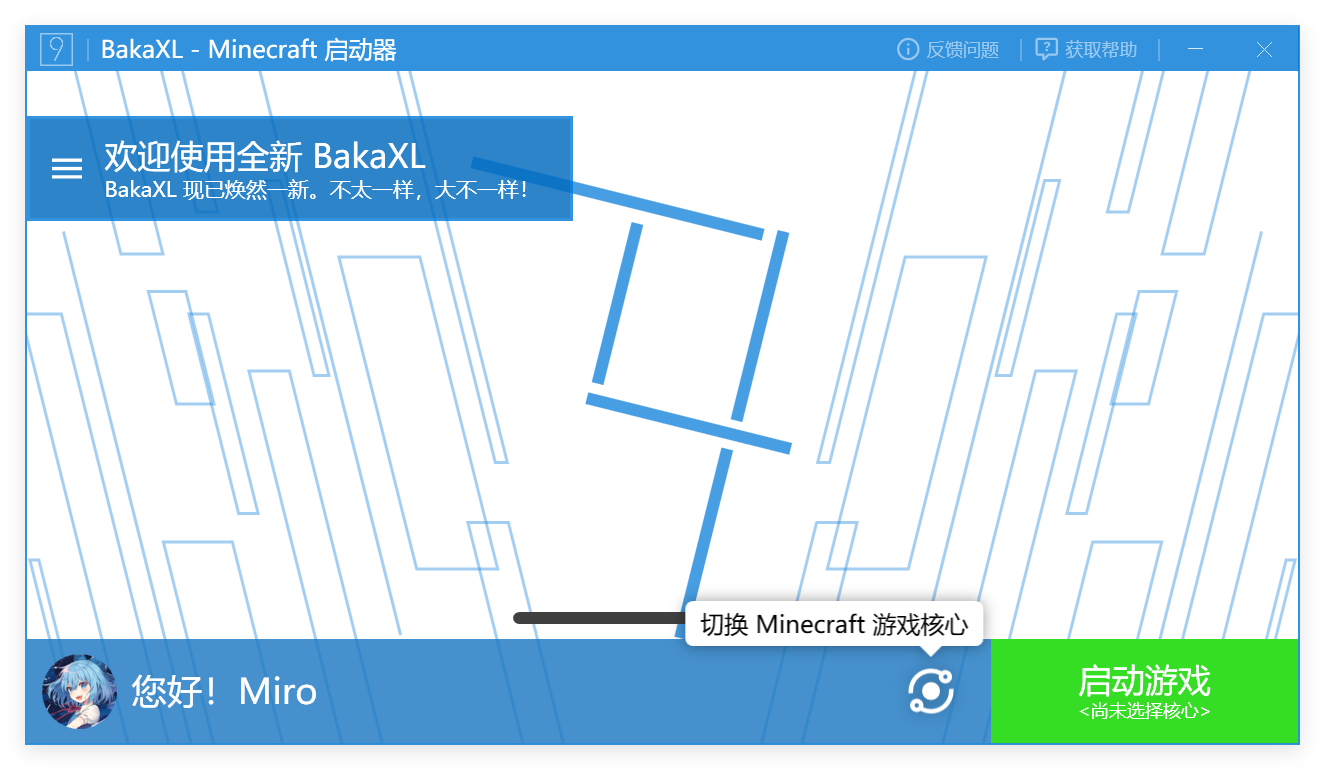
Click “Try to Get and Install This Version”, then click “Yes” in the dialog box. After switching pages, click “Get Popular Modpacks” in the left sidebar.
After entering BakaXL's modpack marketplace, enter “Arcomua” in the search bar in the upper-right corner and click “Search for This Keyword on Modrinth”.
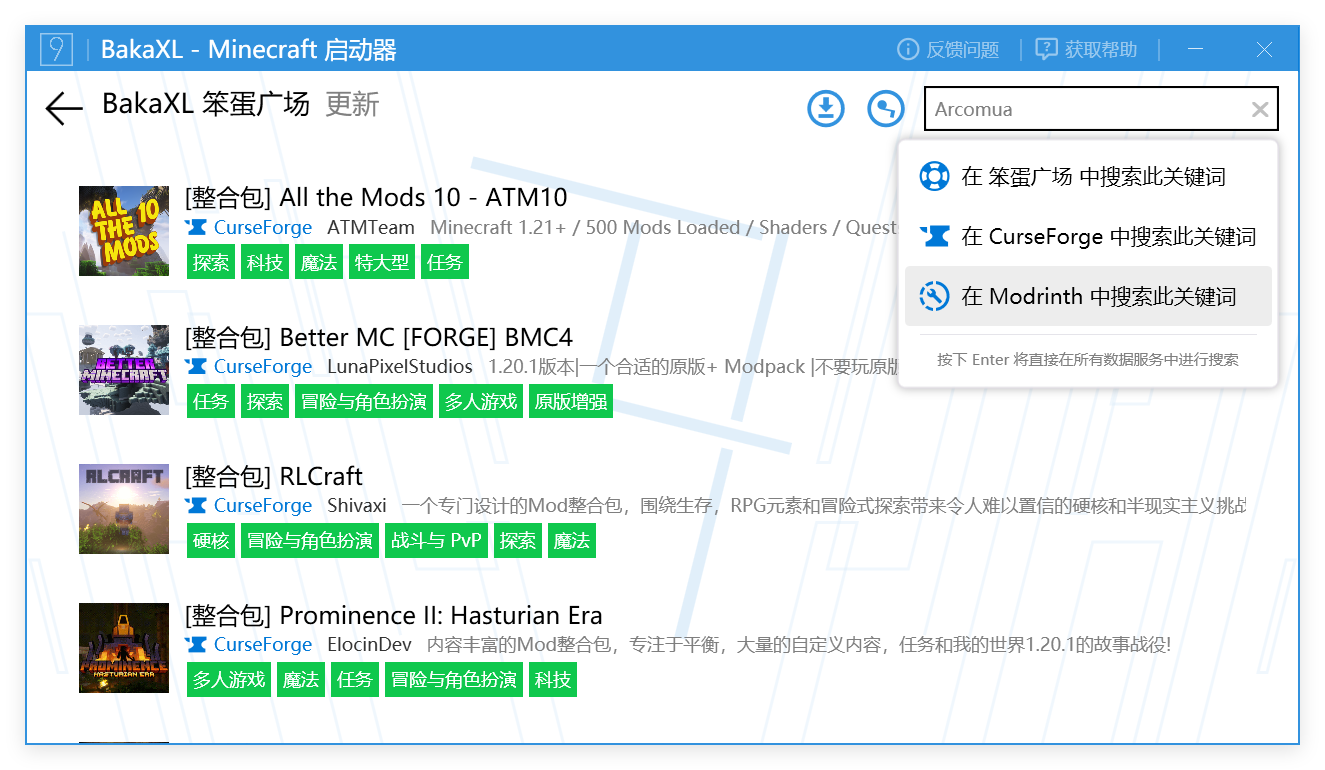
Click the modpack you want to download. On the details page, click the download button in the upper-right corner. Use the filter on the left to select the desired game version. In the version list on the right, select the top entry (the top entry is usually the latest version), click “Download and Install” to the right of the entry, and click “Yes” in the dialog box that appears.
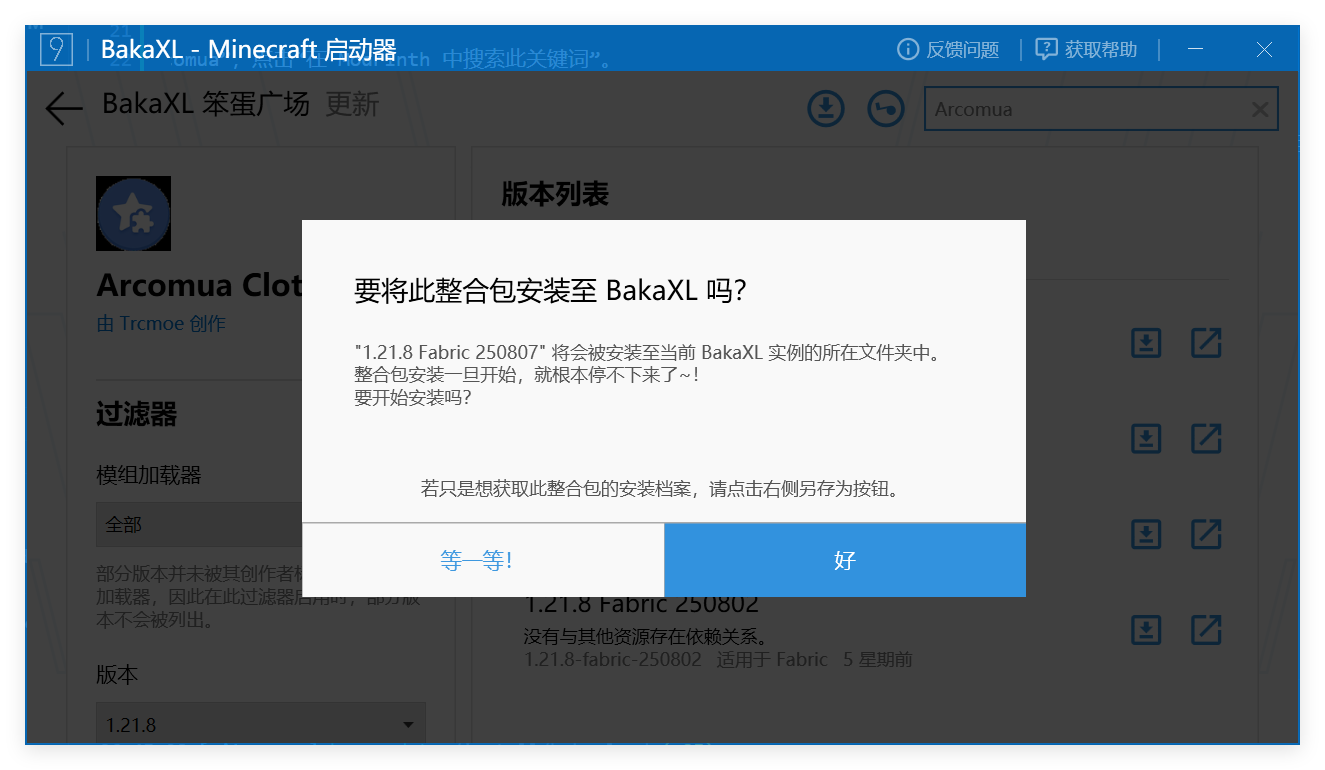
The modpack is now downloading in the background. Please wait. After the installation is complete, click the button in the upper-left corner to return to the home page.
Normally, you can launch Arcomua Modpack from the launcher at this point. If the game core is still empty, you need to install it manually.
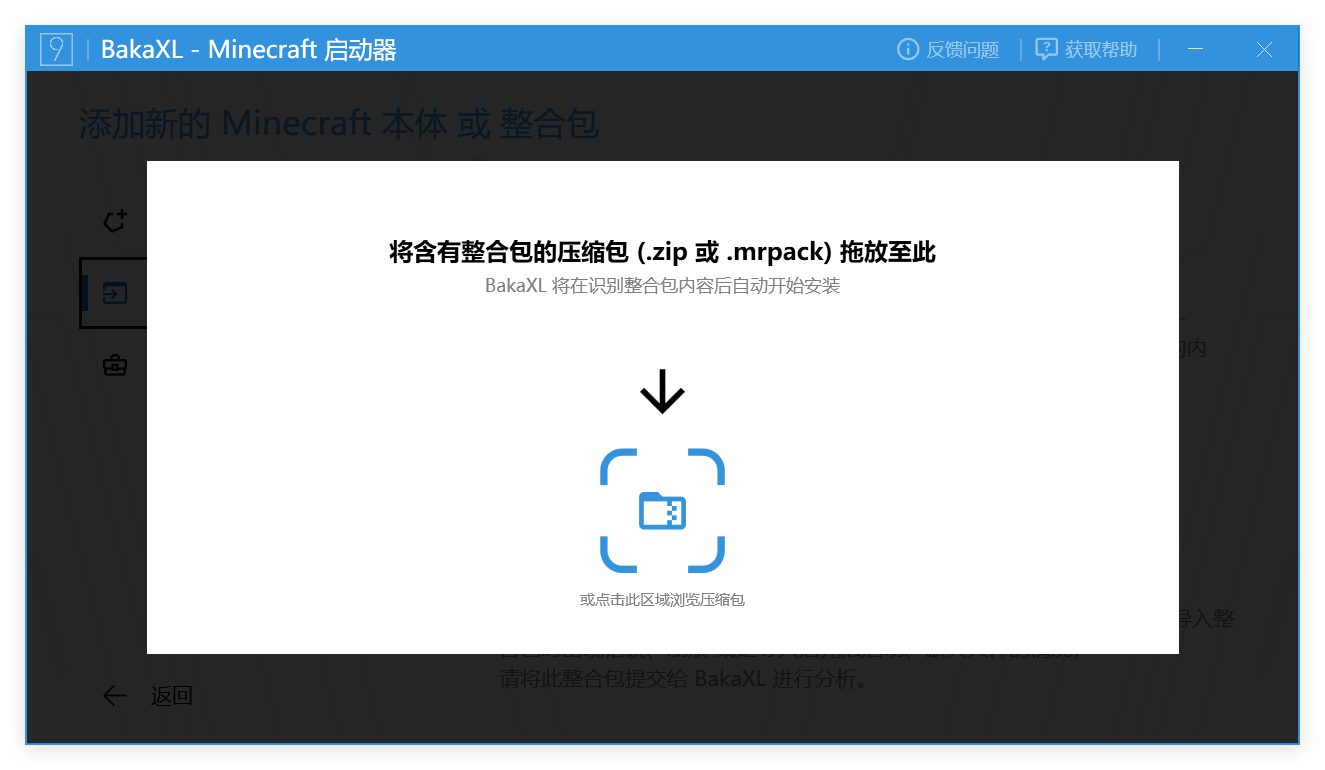
Return to the “Add New Minecraft Instance or Modpack” page, click “Import Modpack” in the left sidebar, and click “Continue”.
Open File Explorer on your computer and find the folder named
BakaXLlocated in the same folder as the BakaXL launcher. Open theTempfolder inside it.This folder contains the modpack installation files downloaded from the modpack marketplace. Click and drag the file into the BakaXL launcher, then wait for the launcher to complete the modpack installation.
Tip
If you encounter other issues while using BakaXL, please consult the BakaXL Documentation Center first.